Webhooks are used to send notifications to a destination (URL), triggered by an event. Developers can use webhooks to send notifications to a URL or third-party web application.
Any event recorded by Abtz Analytics on your website will trigger a webhook. When triggered, the webhook notification will contain the event data sent to your URL in JSON format as a POST request.
🚨 Given its nature, Abtz Analytics webhooks are sent only once and there is no retry.
Adding a webhook
Follow the steps below to enable webhooks for your website in Abtz Analytics.
Every change you make is automatically saved.
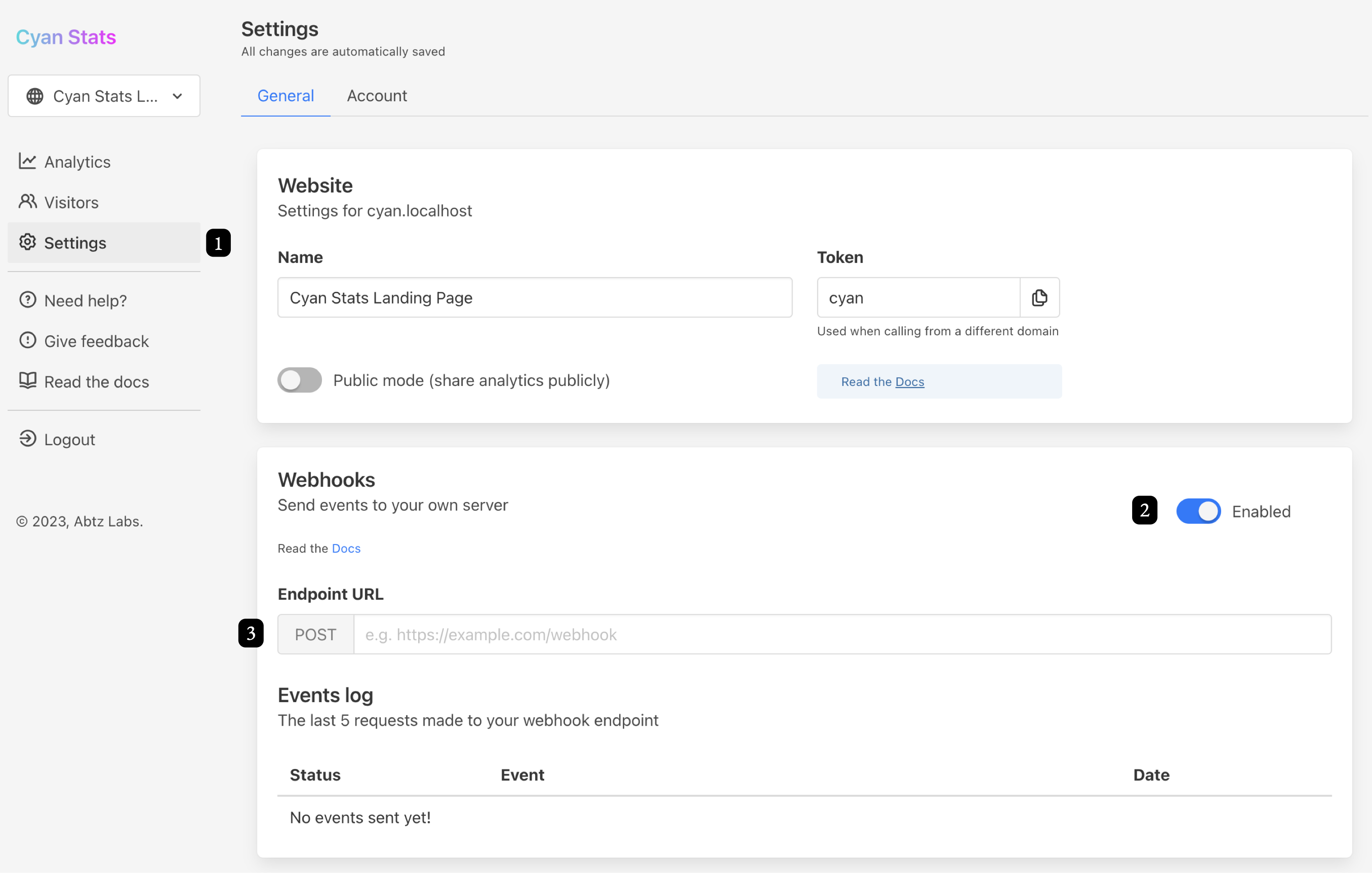
- Go to Settings → General → Webhooks
- Click on the switch to Enable
- Fill in the endpoint URL
- Done! 🎉
Managing your webhook
Follow the same steps from Adding a webhook.
Webhook event payload example
This is how a webhook payload will looks like when reaching your endpoint.
POST /[webhook_url] HTTP/1.1
User-Agent: Abtz Analytics Webhooks (+0.0.0)
Content-Type: application/json
{
"id": 23231,
"projectID": 1980,
"createdAt": 1698768356,
"type": "VISIT",
"responseCode": "200",
"responseMessage": "OK",
"payload": {
"createdAt": 1698768355,
"projectID": 1980,
"sessionID": 315567,
"uuid": "d3cbb5a",
"ip": "123.456.789.1",
"referrer": null,
"trafficSource": "direct",
"protocol": "https",
"url": "https://example.com/test",
"path": "test",
"language": "en-US",
"country": "Japan",
"region": "Tokyo",
"city": "Chuo",
"browser": "Safari",
"device": "desktop",
"os": "Mac 10.15",
"event": "visit",
"eventPayload": "{}",
"botID": null
}
}